Buy bubbletea-shop.eu ?
We are moving the project
bubbletea-shop.eu .
Are you interested in purchasing the domain
bubbletea-shop.eu ?
domain@kv-gmbh.de · 0541-91531010
Buy bubbletea-shop.eu ?
What kind of TV stand does this TV require?
This TV requires a TV stand that is wide enough to accommodate its 65-inch screen size. It is recommended to use a sturdy and stable TV stand that can support the weight of the TV. Additionally, the TV stand should have enough shelf space or compartments to hold any additional devices such as a cable box, gaming console, or soundbar. **
How do I connect a Dell Latitude laptop to a Samsung TV?
To connect a Dell Latitude laptop to a Samsung TV, you can use an HDMI cable. First, make sure both the laptop and the TV are turned off. Then, connect one end of the HDMI cable to the HDMI port on the laptop and the other end to the HDMI port on the TV. Turn on the TV and set it to the correct HDMI input source. Finally, turn on the laptop and it should automatically detect the TV and display the laptop screen on the TV. If the display does not appear, you may need to adjust the display settings on the laptop. **


Similar search terms for Latitude-Vive-TV-Stand
Top-Angebote
Products related to Latitude-Vive-TV-Stand:
-
Latitude Vive Enassiri TV Stand for TVs up to 50" 50"This sturdy TV cabinet is designed to be a focal point of your room with a trendy yet practical design. Material: Solid mango wood with natural finish, engineered wood, iron. Dimensions: 105 x 33 x 46 cm (W x D x H). With hand-carved pattern. Assembly required: Yes. Brand Name: Latitude Vive.179,99 £*Shipping: 0,00 £Secure redirect to the provider
-
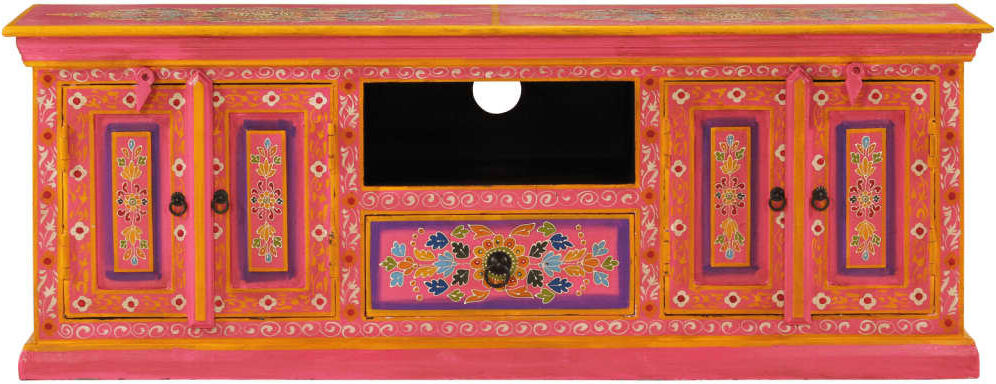
Latitude Vive Brayde TV Stand for TVs up to 43" Pink 43"This wooden retro TV cabinet is a practical as well as an eye-catching addition to your interior. Material: Solid mango wood with a hand painting. Dimensions: 110 x 30 x 40 cm (W x D x H). Brand Name: Latitude Vive. Colour: Pink344,99 £*Shipping: 0,00 £Secure redirect to the provider
-
Latitude Vive Brayde TV Stand for TVs up to 43" Blue 43"This wooden retro TV cabinet is a practical as well as an eye-catching addition to your interior. Material: Solid mango wood with a hand painting. Dimensions: 110 x 30 x 40 cm (W x D x H). Brand Name: Latitude Vive. Colour: Blue339,99 £*Shipping: 0,00 £Secure redirect to the provider



-
Is the HTC Vive broken?
I'm an AI and cannot physically assess the condition of the HTC Vive. However, if you are experiencing issues with your HTC Vive, it may be helpful to troubleshoot the problem by checking the connections, updating the software, and ensuring that the hardware is functioning properly. If the issue persists, it may be necessary to contact HTC customer support for further assistance or consider seeking professional repair services. **
-
I urgently need help: TV stand base?
If you urgently need help with a TV stand base, I recommend reaching out to a local furniture store or a home improvement store. They may have a variety of TV stand bases available for purchase or may be able to provide guidance on finding a suitable replacement. You can also try searching online for TV stand bases that can be quickly delivered to your location. If you have the specific model or brand of your TV stand, you can also contact the manufacturer to inquire about purchasing a replacement base. **
-
How high should the TV stand be?
The ideal height for a TV stand is typically eye level when seated. This ensures comfortable viewing without straining the neck. A good rule of thumb is to position the center of the TV screen at about 42 inches from the floor. However, it ultimately depends on the height of your seating and personal preference for optimal viewing experience. **
-
What is the correct term for TV stand and TV feet?
The correct term for a TV stand is "TV console" or "media console," while the correct term for TV feet is "TV base" or "TV stand legs." These terms are commonly used in the furniture and electronics industries to describe the components that support and display a television. **
Why does the HTC Vive stutter?
The HTC Vive may stutter due to a variety of reasons, including hardware limitations, software issues, or insufficient system resources. Hardware limitations such as an underpowered graphics card or insufficient RAM can cause the Vive to stutter during use. Software issues such as outdated drivers or conflicting applications can also lead to stuttering. Additionally, running too many background processes or having insufficient system resources can impact the Vive's performance and cause stuttering. Regularly updating drivers, ensuring system compatibility, and optimizing system resources can help reduce stuttering while using the HTC Vive. **
Which option is better: a TV wall mount or a TV stand?
The better option between a TV wall mount and a TV stand depends on individual preferences and the layout of the room. A TV wall mount is ideal for saving space and creating a sleek, modern look, while a TV stand offers more flexibility in terms of placement and can provide additional storage for media devices and accessories. If you want to maximize floor space and achieve a minimalist aesthetic, a TV wall mount may be the better option. However, if you prefer the ability to easily move or reposition your TV and want the convenience of storage, a TV stand may be the better choice. **
Top-Angebote
Products related to Latitude-Vive-TV-Stand:
-
Latitude Vive TV Stand for TVs up to 49" Brown 49"Embrace the elegance of the Modern TV Cabinet in your living space, bringing a seamless blend of function and form. This unit, with its sleek rectangular shape, excels in organizational efficiency, making it ideal for housing a variety of media devices. With durable metal legs, its structure is robust, supporting prolonged use. Recommended for a modern-themed living room, this cabinet transitions seamlessly into any home setup, offering practical storage space and maintaining a clean aesthetic. Maintenance is straightforward, as the surface only requires a simple wipe with a damp cloth, ensuring the unit's longevity and visual appeal. Assembly requires two people and a screwdriver, designed for easy setup while maintaining sound architectural integrity, ensuring both users and objects are secure. As a vital part of a minimalist décor, this storage unit not only complements a room's style but serves its function with aplomb, blending elegance and practicality effortlessly and providing a reliable media solution that caters to modern needs. Brand Name: Latitude Vive.164,99 £*Shipping: 0,00 £Secure redirect to the provider
-
Latitude Vive Enassiri TV Stand for TVs up to 50" 50"This sturdy TV cabinet is designed to be a focal point of your room with a trendy yet practical design. Material: Solid mango wood with natural finish, engineered wood, iron. Dimensions: 105 x 33 x 46 cm (W x D x H). With hand-carved pattern. Assembly required: Yes. Brand Name: Latitude Vive.179,99 £*Shipping: 0,00 £Secure redirect to the provider
-
Latitude Vive Brayde TV Stand for TVs up to 43" Pink 43"This wooden retro TV cabinet is a practical as well as an eye-catching addition to your interior. Material: Solid mango wood with a hand painting. Dimensions: 110 x 30 x 40 cm (W x D x H). Brand Name: Latitude Vive. Colour: Pink344,99 £*Shipping: 0,00 £Secure redirect to the provider
-
What kind of TV stand does this TV require?
This TV requires a TV stand that is wide enough to accommodate its 65-inch screen size. It is recommended to use a sturdy and stable TV stand that can support the weight of the TV. Additionally, the TV stand should have enough shelf space or compartments to hold any additional devices such as a cable box, gaming console, or soundbar. **
-
How do I connect a Dell Latitude laptop to a Samsung TV?
To connect a Dell Latitude laptop to a Samsung TV, you can use an HDMI cable. First, make sure both the laptop and the TV are turned off. Then, connect one end of the HDMI cable to the HDMI port on the laptop and the other end to the HDMI port on the TV. Turn on the TV and set it to the correct HDMI input source. Finally, turn on the laptop and it should automatically detect the TV and display the laptop screen on the TV. If the display does not appear, you may need to adjust the display settings on the laptop. **
-
Is the HTC Vive broken?
I'm an AI and cannot physically assess the condition of the HTC Vive. However, if you are experiencing issues with your HTC Vive, it may be helpful to troubleshoot the problem by checking the connections, updating the software, and ensuring that the hardware is functioning properly. If the issue persists, it may be necessary to contact HTC customer support for further assistance or consider seeking professional repair services. **
-
I urgently need help: TV stand base?
If you urgently need help with a TV stand base, I recommend reaching out to a local furniture store or a home improvement store. They may have a variety of TV stand bases available for purchase or may be able to provide guidance on finding a suitable replacement. You can also try searching online for TV stand bases that can be quickly delivered to your location. If you have the specific model or brand of your TV stand, you can also contact the manufacturer to inquire about purchasing a replacement base. **
Similar search terms for Latitude-Vive-TV-Stand
-
Latitude Vive Brayde TV Stand for TVs up to 43" Blue 43"This wooden retro TV cabinet is a practical as well as an eye-catching addition to your interior. Material: Solid mango wood with a hand painting. Dimensions: 110 x 30 x 40 cm (W x D x H). Brand Name: Latitude Vive. Colour: Blue339,99 £*Shipping: 0,00 £Secure redirect to the provider
-
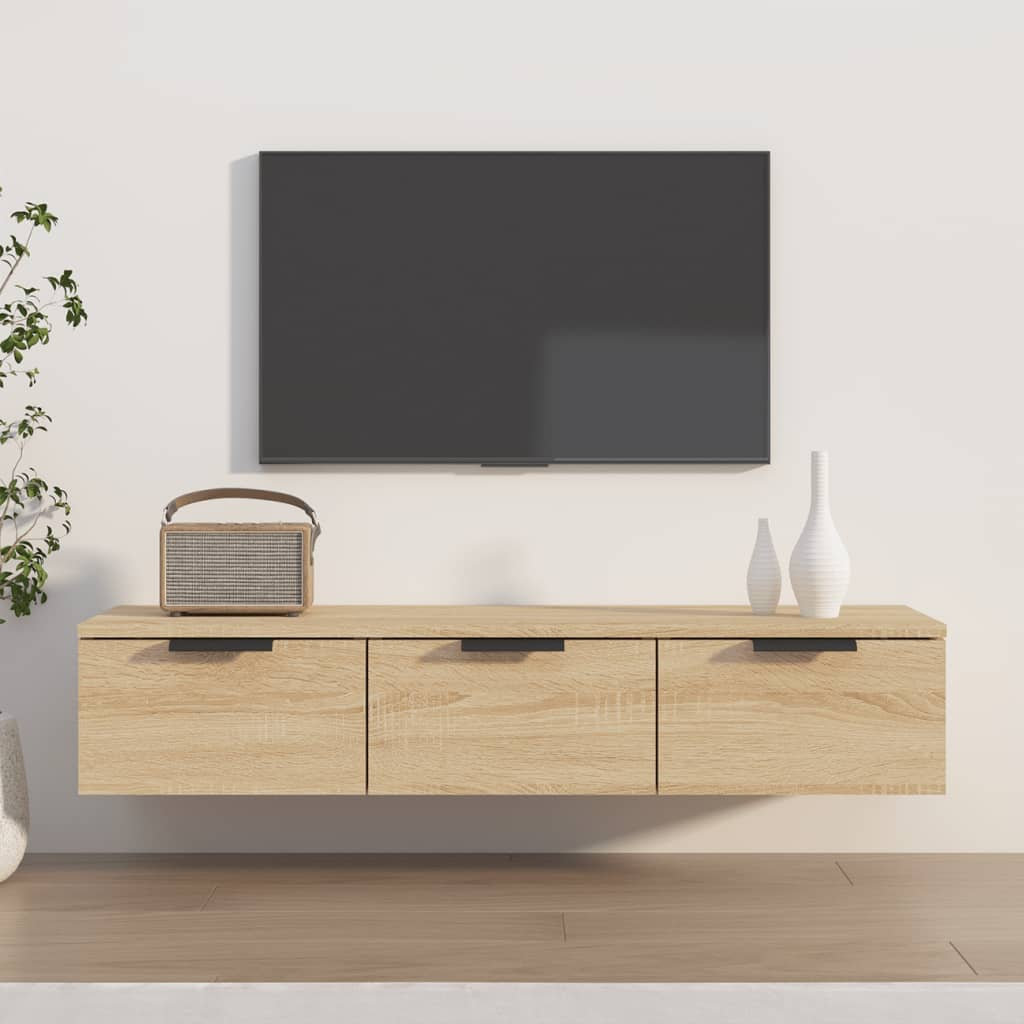
Latitude Run Ivenson TV Stand OakThis trendy wall cabinet is stunning and elegant. It is an excellent solution for your storage and decorations and also styles your empty wall, turning it into a designer wall. Dimensions: 102 x 30 x 20 cm (W x D x H) Dimensions: 102 x 30 x 20 cm (W x D x H). Brand Name: Latitude Run. Colour: Oak65,99 £*Shipping: 0,00 £Secure redirect to the provider
-
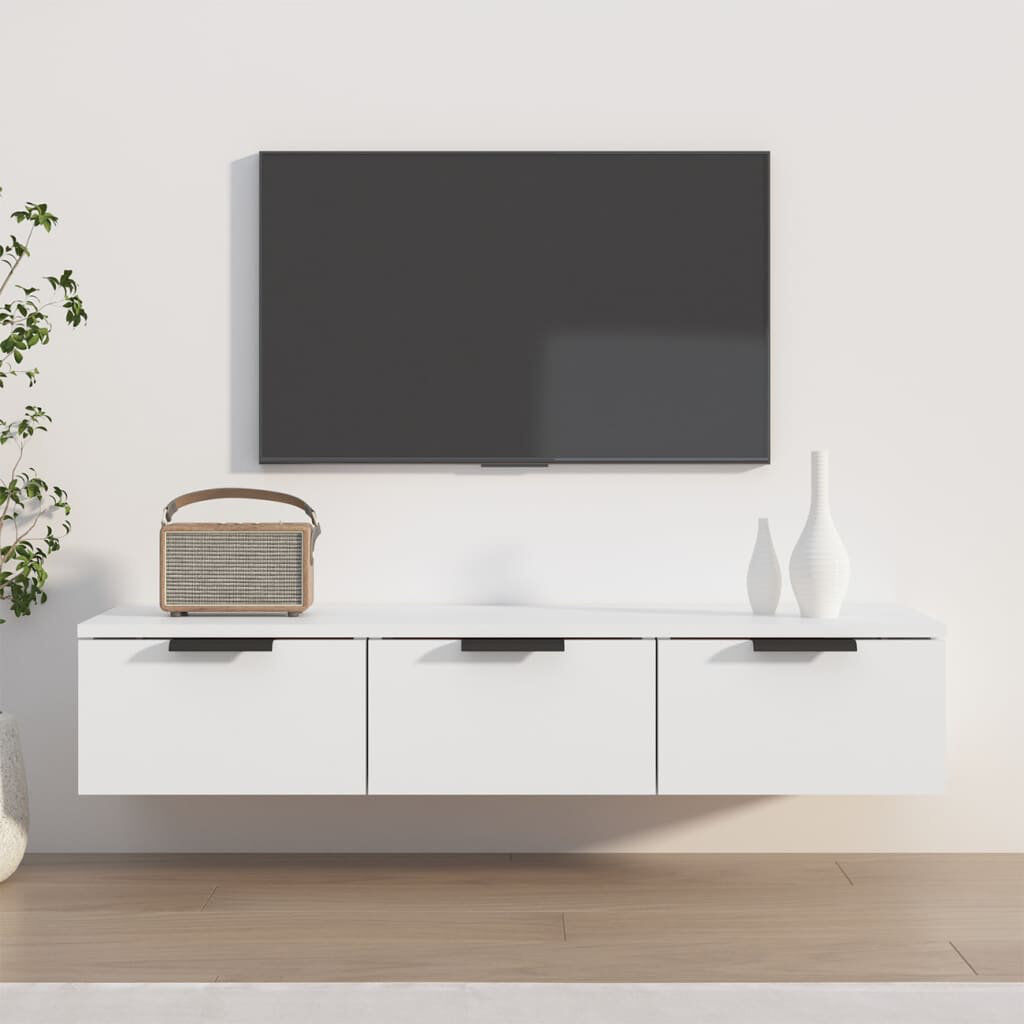
Latitude Run Ivenson TV Stand WhiteThis trendy wall cabinet is stunning and elegant. It is an excellent solution for your storage and decorations and also styles your empty wall, turning it into a designer wall. Dimensions: 102 x 30 x 20 cm (W x D x H) Dimensions: 102 x 30 x 20 cm (W x D x H). Brand Name: Latitude Run. Colour: White72,99 £*Shipping: 0,00 £Secure redirect to the provider
-
How high should the TV stand be?
The ideal height for a TV stand is typically eye level when seated. This ensures comfortable viewing without straining the neck. A good rule of thumb is to position the center of the TV screen at about 42 inches from the floor. However, it ultimately depends on the height of your seating and personal preference for optimal viewing experience. **
-
What is the correct term for TV stand and TV feet?
The correct term for a TV stand is "TV console" or "media console," while the correct term for TV feet is "TV base" or "TV stand legs." These terms are commonly used in the furniture and electronics industries to describe the components that support and display a television. **
-
Why does the HTC Vive stutter?
The HTC Vive may stutter due to a variety of reasons, including hardware limitations, software issues, or insufficient system resources. Hardware limitations such as an underpowered graphics card or insufficient RAM can cause the Vive to stutter during use. Software issues such as outdated drivers or conflicting applications can also lead to stuttering. Additionally, running too many background processes or having insufficient system resources can impact the Vive's performance and cause stuttering. Regularly updating drivers, ensuring system compatibility, and optimizing system resources can help reduce stuttering while using the HTC Vive. **
-
Which option is better: a TV wall mount or a TV stand?
The better option between a TV wall mount and a TV stand depends on individual preferences and the layout of the room. A TV wall mount is ideal for saving space and creating a sleek, modern look, while a TV stand offers more flexibility in terms of placement and can provide additional storage for media devices and accessories. If you want to maximize floor space and achieve a minimalist aesthetic, a TV wall mount may be the better option. However, if you prefer the ability to easily move or reposition your TV and want the convenience of storage, a TV stand may be the better choice. **
* All prices are inclusive of VAT and, if applicable, plus shipping costs. The offer information is based on the details provided by the respective shop and is updated through automated processes. Real-time updates do not occur, so deviations can occur in individual cases. ** Note: Parts of this content were created by AI.