Buy bubbletea-shop.eu ?
We are moving the project
bubbletea-shop.eu .
Are you interested in purchasing the domain
bubbletea-shop.eu ?
domain@kv-gmbh.de · 0541-91531010
Buy bubbletea-shop.eu ?
How can I exit this menu?
To exit the menu, you can typically press the "Exit" or "Back" button on the screen or remote control. If there are no specific exit options, you can try pressing the "Menu" button again to see if it closes the menu. Alternatively, you can press the "Home" or "Power" button on the remote control to exit the menu and return to the home screen. If none of these options work, consult the user manual for the specific device or contact customer support for assistance. **
How do I exit the boot menu?
To exit the boot menu, you can usually do one of the following: 1. Select the "Exit" or "Save and Exit" option from the menu using the arrow keys on your keyboard and then press Enter. 2. Press the Esc key to go back to the previous menu and then navigate to the exit option. 3. If there is no specific exit option, you can simply restart your computer, and it should exit the boot menu automatically. **


Similar search terms for Exit
Top-Angebote
Products related to Exit:
-
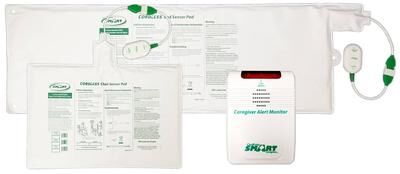
Smart Caregiver Complete Bed and Chair Exit Monitoring System""" Complete Bed and Chair Exit Monitoring System This Complete Cordless Bed Exit Monitoring System includes the portable Economy Cordless Alert programmed to a Cordless 10” x 30” Weight-Sensing Bed Sensor Pad and a Cordless 10” x 15” Weight-Sensing..."169,95 $*Shipping: 0,00 $Secure redirect to the provider
-
Drop Dash Deals RV Exit Window Vent Hatch Emergency Push Out Trailer Replacement RV Exit Window Vent Hatch Emergency Push Out Trailer ReplacementUpgrade your rig with a safer, smarter way to breathe fresh air and exit quickly in an emergency. This 1 pc of rugged RV exit window is designed for RV, camper and trailer owners who demand durability and peace of mind on every adventure. Built from...259,97 $*Shipping: 0,00 $Secure redirect to the provider
-
Night Sky with Exit Wounds: Ocean Vuong by Ocean VuongDescription. Winner of the 2017 T. S. Eliot Prize. ‘Reading Vuong is like watching a fish move: he manages the varied currents of English with muscled intuition.’ New Yorker. An extraordinary debut from a young Vietnamese American, Night Sky with Exit Wounds is a book of poetry unlike any other.. Steeped in war and cultural upheaval and wielding a fresh new language, Vuong writes about the most profound subjects – love and loss, conflict, grief, memory and desire – and attends to them all with lines that feel newly-minted, graceful in their cadences, passionate and hungry in their tender, close attention: ‘…the chief of police/facedown in a pool of Coca-Cola./A palm-sized photo of his father soaking/beside his left ear.’ This is an unusual, important book: both gentle and visceral, vulnerable and assured, and its blend of humanity and power make it one of the best first collections of poetry to come out of America in years.. Title. Night Sky with Exit Wounds: Ocean Vuong by Ocean Vuong. Delivery. Content. Reviews99,99 £*Shipping: 0,00 £Secure redirect to the provider
-
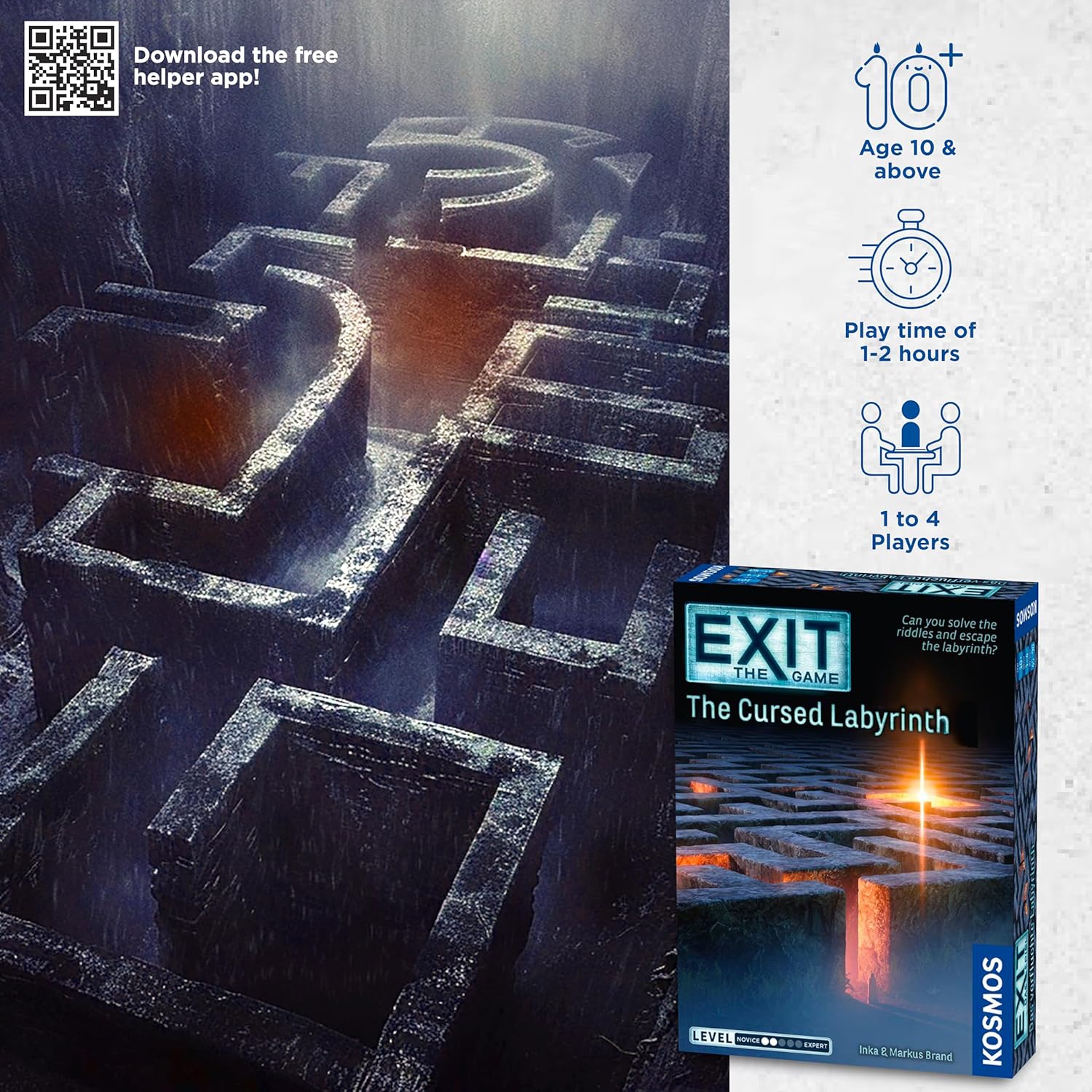
EXIT: The Cursed Labyrinth – Escape Room Board Game (Level 2, Ages 10+)EXIT: The Cursed Labyrinth by Thames & Kosmos is an immersive escape-room-style board game that challenges players to solve clever puzzles and uncover hidden clues. Rated Level 2 out of 5, it offers a moderate difficulty level that’s ideal for families, beginners and players looking to step up from entry-level EXIT games. Key Features Escape room experience in a tabletop format Level 2 difficulty – accessible yet challenging Designed for 1–4 players Engaging puzzle-solving and logical challenges Encourages teamwork, critical thinking and communication One-time-play game with a unique narrative experience Benefits EXIT: The Cursed Labyrinth delivers the thrill of a real escape room from the comfort of your home. The cooperative gameplay makes it perfect for families and small groups, while the Level 2 difficulty ensures a satisfying challenge without being overwhelming. A great introduction to escape room games or a fun step up for developing puzzle solvers. Specifications Table Specification Details Brand Thames & Kosmos Game Series EXIT: The Game Title The Cursed Labyrinth Difficulty Level Level 2 of 5 Players 1–4 Recommended Age 10+ Game Type Escape Room / Puzzle Game Play Style Cooperative Colour Black EAN / Barcode 814743015951 Ideal for families, teens and adults aged 10+ who enjoy puzzles and cooperative challenges. Perfect for game nights, introducing escape room concepts to younger players, or enjoying a shared problem-solving experience at home.15,99 £*Shipping: 0,00 £Secure redirect to the provider


-
How do I exit the HP boot menu?
To exit the HP boot menu, simply use the arrow keys on your keyboard to navigate to the "Exit" tab. Once there, select "Exit Saving Changes" or a similar option to save any changes you made in the boot menu and exit. Alternatively, you can also press the "Esc" key to exit the boot menu without saving any changes. **
-
How do I exit the boot menu on HP?
To exit the boot menu on an HP computer, you can simply press the "Esc" key on your keyboard. This will allow you to exit the boot menu and continue with the normal startup process. If you have made any changes in the boot menu settings, make sure to save them before exiting. Once you press the "Esc" key, the computer will restart and boot into the selected operating system or device. **
-
How do I exit the main menu of Xiaomi?
To exit the main menu on a Xiaomi device, you can simply press the home button on your device. This will take you back to the home screen and exit the main menu. Alternatively, you can also swipe up from the bottom of the screen to go back to the home screen. These methods will help you exit the main menu and navigate to other parts of your Xiaomi device. **
-
How can one exit Minecraft without using the menu?
To exit Minecraft without using the menu, you can press the "Alt + F4" keys on your keyboard. This keyboard shortcut will force the game to close. Another way to exit the game is by pressing "Ctrl + Shift + Esc" to open the Task Manager, then finding the Minecraft process and ending it. These methods allow you to exit Minecraft quickly without having to navigate through the in-game menu. **


How can I exit the menu of my receiver?
To exit the menu of your receiver, you can usually press the "Exit" or "Menu" button on your remote control. If those options are not available, you can try pressing the "Back" or "Return" button to navigate out of the menu. If none of these options work, you can also try pressing the "Power" button to turn off the receiver and then turn it back on to exit the menu. If you are still having trouble, you can refer to the user manual for specific instructions on how to exit the menu. **
How do I exit the boot menu of my laptop?
To exit the boot menu of your laptop, you can simply select the option to exit or go back to the main menu. This option is usually labeled as "Exit" or "Return to Main Menu." Once you select this option, the laptop will exit the boot menu and continue booting up normally. If you are unsure of how to exit the boot menu on your specific laptop model, you can refer to the user manual or contact the manufacturer for assistance. **
Top-Angebote
Products related to Exit:
-
Smart Caregiver Wireless Window/Door Exit Sensor""" Wireless Window/Door Exit Sensor The Wireless Window/Door Exit Sensor easily mounts to a door and door frame to alert when door is opened and the connection is broken. (Must be used with Wireless CMU or Economy CordLess Alert - not included.)..."29,95 $*Shipping: 0,00 $Secure redirect to the provider
-
Multicon Wholesale Hub Commercial Stainless Push Bar Panic Exit Device For Doors Commercial Stainless Push Bar Panic Exit Device For DoorsStep into a safer, smarter workspace with a panic exit door push bar that delivers rocksolid reliability when it matters most. Designed for business owners, facility managers, and safetyconscious professionals, this premium exit device ensures...139,97 $*Shipping: 0,00 $Secure redirect to the provider
-
Smart Caregiver Complete Bed and Chair Exit Monitoring System""" Complete Bed and Chair Exit Monitoring System This Complete Cordless Bed Exit Monitoring System includes the portable Economy Cordless Alert programmed to a Cordless 10” x 30” Weight-Sensing Bed Sensor Pad and a Cordless 10” x 15” Weight-Sensing..."169,95 $*Shipping: 0,00 $Secure redirect to the provider
-
Drop Dash Deals RV Exit Window Vent Hatch Emergency Push Out Trailer Replacement RV Exit Window Vent Hatch Emergency Push Out Trailer ReplacementUpgrade your rig with a safer, smarter way to breathe fresh air and exit quickly in an emergency. This 1 pc of rugged RV exit window is designed for RV, camper and trailer owners who demand durability and peace of mind on every adventure. Built from...259,97 $*Shipping: 0,00 $Secure redirect to the provider
-
How can I exit this menu?
To exit the menu, you can typically press the "Exit" or "Back" button on the screen or remote control. If there are no specific exit options, you can try pressing the "Menu" button again to see if it closes the menu. Alternatively, you can press the "Home" or "Power" button on the remote control to exit the menu and return to the home screen. If none of these options work, consult the user manual for the specific device or contact customer support for assistance. **
-
How do I exit the boot menu?
To exit the boot menu, you can usually do one of the following: 1. Select the "Exit" or "Save and Exit" option from the menu using the arrow keys on your keyboard and then press Enter. 2. Press the Esc key to go back to the previous menu and then navigate to the exit option. 3. If there is no specific exit option, you can simply restart your computer, and it should exit the boot menu automatically. **
-
How do I exit the HP boot menu?
To exit the HP boot menu, simply use the arrow keys on your keyboard to navigate to the "Exit" tab. Once there, select "Exit Saving Changes" or a similar option to save any changes you made in the boot menu and exit. Alternatively, you can also press the "Esc" key to exit the boot menu without saving any changes. **
-
How do I exit the boot menu on HP?
To exit the boot menu on an HP computer, you can simply press the "Esc" key on your keyboard. This will allow you to exit the boot menu and continue with the normal startup process. If you have made any changes in the boot menu settings, make sure to save them before exiting. Once you press the "Esc" key, the computer will restart and boot into the selected operating system or device. **
Similar search terms for Exit
-
Night Sky with Exit Wounds: Ocean Vuong by Ocean VuongDescription. Winner of the 2017 T. S. Eliot Prize. ‘Reading Vuong is like watching a fish move: he manages the varied currents of English with muscled intuition.’ New Yorker. An extraordinary debut from a young Vietnamese American, Night Sky with Exit Wounds is a book of poetry unlike any other.. Steeped in war and cultural upheaval and wielding a fresh new language, Vuong writes about the most profound subjects – love and loss, conflict, grief, memory and desire – and attends to them all with lines that feel newly-minted, graceful in their cadences, passionate and hungry in their tender, close attention: ‘…the chief of police/facedown in a pool of Coca-Cola./A palm-sized photo of his father soaking/beside his left ear.’ This is an unusual, important book: both gentle and visceral, vulnerable and assured, and its blend of humanity and power make it one of the best first collections of poetry to come out of America in years.. Title. Night Sky with Exit Wounds: Ocean Vuong by Ocean Vuong. Delivery. Content. Reviews99,99 £*Shipping: 0,00 £Secure redirect to the provider
-
EXIT: The Cursed Labyrinth – Escape Room Board Game (Level 2, Ages 10+)EXIT: The Cursed Labyrinth by Thames & Kosmos is an immersive escape-room-style board game that challenges players to solve clever puzzles and uncover hidden clues. Rated Level 2 out of 5, it offers a moderate difficulty level that’s ideal for families, beginners and players looking to step up from entry-level EXIT games. Key Features Escape room experience in a tabletop format Level 2 difficulty – accessible yet challenging Designed for 1–4 players Engaging puzzle-solving and logical challenges Encourages teamwork, critical thinking and communication One-time-play game with a unique narrative experience Benefits EXIT: The Cursed Labyrinth delivers the thrill of a real escape room from the comfort of your home. The cooperative gameplay makes it perfect for families and small groups, while the Level 2 difficulty ensures a satisfying challenge without being overwhelming. A great introduction to escape room games or a fun step up for developing puzzle solvers. Specifications Table Specification Details Brand Thames & Kosmos Game Series EXIT: The Game Title The Cursed Labyrinth Difficulty Level Level 2 of 5 Players 1–4 Recommended Age 10+ Game Type Escape Room / Puzzle Game Play Style Cooperative Colour Black EAN / Barcode 814743015951 Ideal for families, teens and adults aged 10+ who enjoy puzzles and cooperative challenges. Perfect for game nights, introducing escape room concepts to younger players, or enjoying a shared problem-solving experience at home.15,99 £*Shipping: 0,00 £Secure redirect to the provider
-
Exit, Rubbernecker & Snap 3 Books Collection Set by Belinda Bauer - Fiction - PaperbackTitles in This Set:. Exit. Rubbernecker. Snap Condition: BRAND NEW. Format: Paperback. ISBN: 9789124090562 Overview:. This three‑book collection brings together Belinda Bauer’s distinctive crime-writing voice: sharp, character‑driven suspense with clever twists that linger long after the final page. Included here are Exit, Rubbernecker, and Snap, each offering a unique driving premise, moral complexity, and a brisk, page‑turning pace. Exit follows a well‑intentioned act that quickly spirals into danger, forcing the protagonist to confront the consequences of a single moment. Rubbernecker showcases Bauer’s talent for misdirection and thought‑provoking surprises, keeping readers guessing as loyalties and truths shift. Snap begins with intimate family stakes and gradually peels back layers to reveal a truth about the past that changes everything three years later. This paperback collection is ideal for fans of intelligent crime fiction who crave suspense, empathy, and endings that stay with you. It’s also a ready-made, giftable reading journey for both new readers and longtime Bauer fans. What Makes This Collection Special:. Across Exit, Rubbernecker, and Snap, Bauer demonstrates a rare ability to blend accessible storytelling with intricate plotting and moral nuance. The books share a throughline of ordinary lives becoming extraordinary under pressure, while each story unfurls at a distinct tempo—from brisk chases to slow‑burn revelations—delivering satisfying twists without losing heart. Readers can enjoy a cohesive reading experience from a single acclaimed author, while savoring three highly individual journeys. This collection is not only a practical buy for fans but a genuine gift of immersive, mood‑dense crime fiction that suits a weekend binge or a shelf‑worthy trilogy for display. Books Included in This Collection:. Exit. Felix’s quiet life at Number 3 Black Lane is upended when a seemingly charitable act to keep a dying man company becomes the biggest mistake of his life. What begins as a desperate attempt to help quickly accelerates into a police chase and a harrowing reckoning with guilt, consequence, and what lies beneath ordinary lives. Bauer threads tension with moral ambiguity, delivering a tightly wound thriller that compels you to question every motive and choice. Rubbernecker. In Rubbernecker, Bauer’s deft misdirection and brisk storytelling collide to deliver a suspenseful, brain‑teasing read. The narrative unspools with several possible explanations, inviting you to weigh evidence, second‑guess assumptions, and anticipate the next twist. The result is a read that feels both entertaining and thought‑provoking, with a finale that lands with impact and leaves you rethinking what you thought you understood about the characters and their world. Snap. Three years on, Jack steers the family’s fragile world—protecting his sisters, guarding their secrets, and keeping their home intact—until the past resurfaces in ways that threaten their...26,99 £*Shipping: 2,99 £Secure redirect to the provider
-
Tools, Home & Hobby 30 X 22 Inch Tinted RV Exit Window With Screen And Aluminum Frame 30 X 22 Inch Tinted RV Exit Window With Screen And Aluminum FrameUpgrade your camper or trailer with this RV exit window designed for reliable functionality and a modern look. Featuring tinted black tempered glass, this RV window replacement adds privacy while maintaining durability. Its aluminum alloy frame...399,97 $*Shipping: 0,00 $Secure redirect to the provider
-
How do I exit the main menu of Xiaomi?
To exit the main menu on a Xiaomi device, you can simply press the home button on your device. This will take you back to the home screen and exit the main menu. Alternatively, you can also swipe up from the bottom of the screen to go back to the home screen. These methods will help you exit the main menu and navigate to other parts of your Xiaomi device. **
-
How can one exit Minecraft without using the menu?
To exit Minecraft without using the menu, you can press the "Alt + F4" keys on your keyboard. This keyboard shortcut will force the game to close. Another way to exit the game is by pressing "Ctrl + Shift + Esc" to open the Task Manager, then finding the Minecraft process and ending it. These methods allow you to exit Minecraft quickly without having to navigate through the in-game menu. **
-
How can I exit the menu of my receiver?
To exit the menu of your receiver, you can usually press the "Exit" or "Menu" button on your remote control. If those options are not available, you can try pressing the "Back" or "Return" button to navigate out of the menu. If none of these options work, you can also try pressing the "Power" button to turn off the receiver and then turn it back on to exit the menu. If you are still having trouble, you can refer to the user manual for specific instructions on how to exit the menu. **
-
How do I exit the boot menu of my laptop?
To exit the boot menu of your laptop, you can simply select the option to exit or go back to the main menu. This option is usually labeled as "Exit" or "Return to Main Menu." Once you select this option, the laptop will exit the boot menu and continue booting up normally. If you are unsure of how to exit the boot menu on your specific laptop model, you can refer to the user manual or contact the manufacturer for assistance. **
* All prices are inclusive of VAT and, if applicable, plus shipping costs. The offer information is based on the details provided by the respective shop and is updated through automated processes. Real-time updates do not occur, so deviations can occur in individual cases. ** Note: Parts of this content were created by AI.